
Anyone, from novices to devoted website designers, can use WordPress as a content management system. However, its main code is merely a framework that offers the necessary components for building a simple website.
You’ll need a collection of plugins—independent pieces of code that can be added to any WordPress website to meet a user’s specific needs and completely personalize a site’s features, appearance, and performance.
Over 55,000 active WordPress plugins with ever-improving features are already available, and more are being created daily by WordPress designers and developers worldwide.
What Plug-Ins Are Required?
WordPress themes and plugins can meet even the requirements of specialized websites in particular niches.
However, the fundamental plugins that the majority of operational WordPress sites have to have fall into a few distinct categories.
- Analysis of websites
Analyze your progress and identify your weak points. Any site’s traffic may be broken down utilizing analytics plugins like Google Analytics to better understand your visitors’ conversion rates and target audience.
- Safety and Security
The site can be backed up, firewalls and other hacker defenses may be added, and spam and spam comments can be prevented with the help of WordPress security plugins.
- Website functionality
Plugins can improve user experience, speed up page loading, and optimize pictures.
- Plugins for social sharing, marketing, and SEO
Any website that wants to attract visitors also needs tools for social media sharing and search engine optimization.
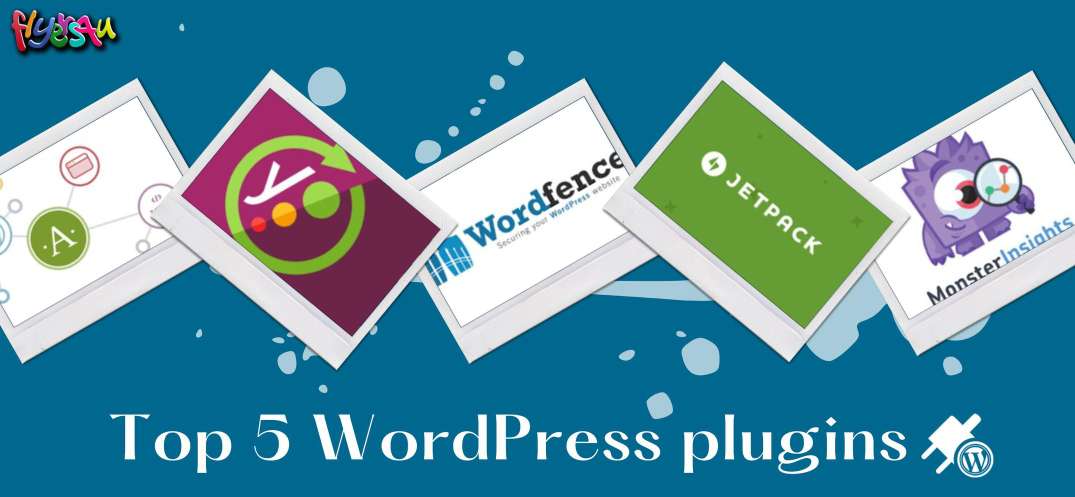
TOP 5 WORDPRESS PLUGINS
1- Akismet

Automattic created the tool Akismet to help filter out spam comments automatically. We receive spam every day in the form of advertisements, pointless articles, harmful content, or unintentional errors. Additionally, it’s incredibly challenging to sift them all by yourself, particularly if you run a company that receives hundreds of comments daily.
To ensure that only the best and most pertinent information reaches you, Akismet additionally compares all of your contact form inputs against their extensive worldwide database of spam. For blog and business owners who get at least ten comments each day, the plugin is required.
Author(s): Automattic
Current Version: 5.0
Last Updated: July 26, 2022
2- Yoast SEO

Yoast SEO is without a doubt one of the plugins that receive a lot of praise from users. Nearly all WordPress users who have blogs or websites utilize this plugin. In actuality, it can be challenging to locate websites that DO NOT have Yoast SEO installed.
It’s necessary to maximize your content for search engines to increase traffic to your website.
Yoast grades text for keywords and metadata automatically and highlights areas that need work. Yoast is an effective and useful plugin that can be downloaded for free from the WordPress plugin directory and has a premium version for more capabilities.
Author(s): Team Yoast
Current Version: 19.7.1
Last Updated: September 20, 2022
3- Wordfence Security:

The most popular WordPress plugins are broad and offer a variety of capabilities, as you can see. Wordfence, a security-focused plugin, was developed to safeguard your website. Your website receives a firewall from Wordfence to protect it from harmful traffic. In addition, it features a secure login mechanism and a malware scanner that blocks suspect external attempts.
WordFence also has real-time traffic monitoring and email notifications for urgent issues.
Author(s): Wordfence
Current Version: 7.6.2
Last Updated: September 19, 2022
4- JetPack

Another WordPress plugin created by Automattic ranks at the top of the list of the most used plugins. This time, it’s Jetpack, a versatile tool with (nearly) infinite uses. You can use it to help with design, security, and marketing. Site analytics, automated social media posting, numerous WordPress themes, spam filtering, downtime monitoring, malware scanning, login security, lazy image loading, CDN, and other features are just a few of its many features.
The Jetpack features that the user chooses to use can be activated and modified. The WordPress Plugin Directory offers both a paid and a free version of it.
Author(s): Automattic
Current Version: 11.3.2
Last Updated: September 22, 2022
5- MonsterInsights

The Google Analytics features are brought directly to your WordPress dashboard by MonsterInsights. Without directly installing or interacting with Google’s feature-rich analytics tool, this plugin allows for the tracking of traffic, clicks, visitor statistics, and other data.
If you simply copy and paste the tracking code to your site, the plugin enables a simple and effective integration. Following this, the plugin merely functions. Because it imports the data from Analytics to your WordPress admin area, you may check the analytics without leaving your dashboard.
Author(s): MonsterInsights
Current Version: 8.9.0
Last Updated: September 20, 2022
Google-analytics-for-wordpress.8.9.0.zip